Caldera’s Pre-Installed RIP Stations: Save Time and Start Producing
October 23, 2026
Did you know that you can skip all the configurations that come with a RIP software and start production by using Caldera’s pre-installed RIP? Using Caldera pre-installed stations, you can prepare your production environment without having to build your setup from scratch.
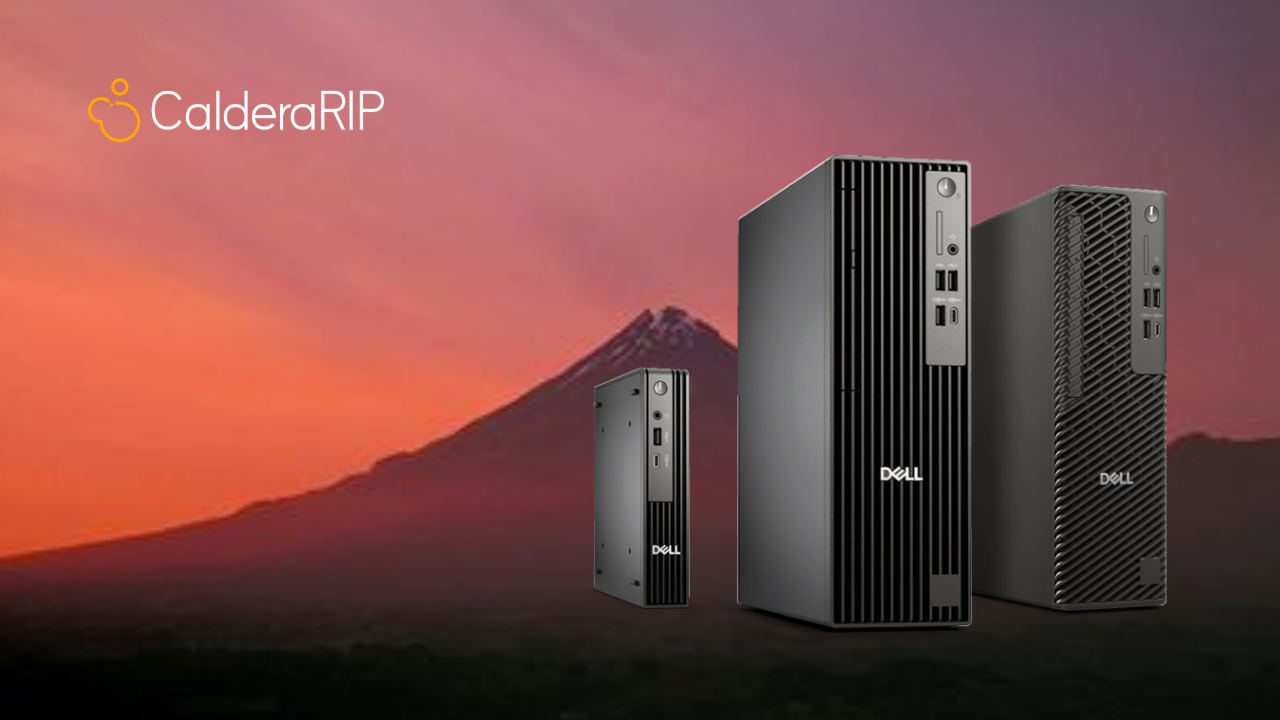
They are developped in partnership with DELL and combine reliable computer hardware, a pre-installed Linux operating system, and CalderaRIP software to help you start your productions as smoothly as possible. Caldera range of PC’s offer three different configurations to match many production volumes and operational environment. You can use them to launch a business, expand an existing capability, or upgrade your current equipment.
In article, we will explin the advantages of Caldera pre-installes RIP stations and howeach range adresses specific needs in
Everything you need in one package
To set up a print production environment is to spend days trying to figure out which setting goes with what. It’s a long complicated process that requires experts’ vision. You will need a suitable computer, a reliable RIP software, and the configurations that fit your needs and business. That’s why we have built Caldera pre-installed stations. They are designed to provide you with what you’re currently trying to configure: a reliable production environment.
We have equipped each package with the requirements you need to finally build your RIP workstation, including:
- A DELL computer that suits your production requirements
- Linux Ubuntu 22.04, pre-installed and ready for use
- CalderaRIP is pre-loaded on your workstation
- A DELL USB keyboard , available in QWERTY or AZERTY layout
- A DELL USB mouse for convenient everyday operation
- A USB restoration stick to help restore system when required
- DELL ProSupport coverage for your hardware, including three years of customer service
All the abovementioned components contribute in simplifying the process of preparing your production environment and help you get past the previous setup configurations you used to handle. For that to happen, you can select the workstation that corresponds to your requirements while keeping in mind that your operating system and CalderaRIP software are already installed. And with hardware support included, you also benefit from an additional asset of reassurance as you prepare your workflow.
Three solutions built to match your production volume
Every business is different and has a rythm that is specific to its own production type. Your equipment requirements, therefore, will depend on the printers you use, the compleity of your jobs, and the volume of work you handle every day. That’s the exact reason why we offer three pre-installed RIP stations: Caldera C1, C2, and C3. Each configuration holds a difference combination of processing power, memory, storage, and graphics capabilities to have high performing workstations.
Caldera C1: Where you can start
Caldera C1 can be considered the right solution for smaller production environnments. Caldera C1 is the appropriate starting element if you want to try Caldera pre-installed RIP stations. It is build around DELL Pro Micro QCM 1250. It gets straight to the essentials you need to get an compact workstation.
It is equipped with an Intel Ultra 5 processor, 8 GB of DDR5 memory, and a 512 GB SSD. It also provides you with a practical foundation to start using CalderaRIP.
Key specifications
- Computer: DELL Pro Micro QCM1250
- Processor: Intel Ultra 5
- Memory: 8 GB DDR5
- Storage: 512 GB SSD
- Graphics: Integrated Intel graphics
- Display support: Single screen
- CalderaRIP recommendation: Between 1 and 2 Wide drivers
- PrimeCenter recommendation: BASIC package
Is Caldera C1 the right choice for you?
This depends on the environment you want to set up. If you want a small, convenient, ready-to-use workstation, consider the Caldera C1. It offers a compact, straightforward way to install your software environment without making the setup more complex or difficult. You can download Caldera C1 datasheet here.
Caldera C2: The Versatile Workstation
In case you decide to grow your business, you might think of different ways to do it and this always requires more of what you currently own. You will need additional memory, a more capable processor, or the convenience of working across two screens. Caldera C2 allows you to combine all of this with a versatile and simplified configuration.
It is powered by an Intel Core Ultra 5 235 vPro processor and features 16 GB of DDR5 memory and a 512 GB SSD. Furthermore, it supports a dual-screen setup which offers you a more advanced flexibility when organizing your workstations and managing your daily tasks.
This option targets a broader range of operational needs when you coordinate print files, monitor your RIP workflow, or move between different production tasks.
Key specifications
- Computer: DELL Pro Compact Plus QBS1250
- Processor: Intel Core Ultra 5 235 vPro, 14 cores, up to 5.0 GHz, with a 13 TOPS NPU
- Memory: 16 GB DDR5
- Storage: 512 GB SSD
- Graphics: No dedicated graphics card
- Display support: Dual screen
- CalderaRIP recommendation: Between 1 and 2 Large drivers, or 1 Grand driver
- PrimeCenter recommendation: PRO package
Is Caldera C2 the right choice for you?
If your goal is to have more flexibility, Caldera C2 offers you a balanced upgrade. Its increased memory capacity and dual screen support make it an attractive option to manage a wide variety of job and workflows. You can start considering it if you want to change your current environment to make it match the current needs while accommodating a more demanding setup. You can download Caldera C2 datasheet here.
Caldera C3: For more performance
With time, you manage to scale your business and improve your production, but there is another need that will appear. You will need a more powerful workstation. Caldera C3 is built to match this need and is the range that delivers the highest performance.
Built around the DELL Pro Max Compact CTO, the C3 combines an Intel Core i9-14900 processor with 32 GB of DDR5 memory, a 1 TB PCIe NVMe Gen 4 SSD, and an NVIDIA A1000 graphics card.
With 24 processor cores and clock speeds reaching 5.8 GHz, this workstation provides a powerful hardware foundation for demanding production setups. Its larger storage capacity and dedicated graphics also distinguish it from the other configurations in the range. Dual-screen support adds further flexibility, allowing you to arrange your workspace around your preferred working style.
Key specifications
- Computer: DELL Pro Max Compact CTO
- Processor: Intel Core i9-14900, 24 cores, 32 threads, 36 MB cache, 2.0–5.8 GHz, 65 W
- Memory: 32 GB DDR5, non-ECC
- Storage: 1 TB M.2 PCIe NVMe Gen 4 SSD
- Graphics: NVIDIA A1000
- Additional connectivity: Low-profile Intel NIC i225 Ethernet card
- Display support: Dual screen
- CalderaRIP recommendation: Between 1 and 2 Grand drivers
- PrimeCenter recommendation: MAX package
Is Caldera C3 the right choice for you?
Caldera C3 is the right option for you if your printing workflow requires a more powerful hardware configuration. Its combination of processing capabilities, memory, storage, and dedicated graphics makes it suitable for production environments that need a more capable workstation. As always, your final choice should reflect your specific software requirements, printer configuration, and workload. You can download its datasheet here.
Choose the RIP station that fits your workflow
You’re still not sure which configuration best matches your business? You can compare the key specifications here:
| Specification | Caldera C1 | Caldera C2 | Caldera C3 |
| DELL computer | Pro Micro QCM1250 | Pro Compact Plus QBS1250 | Pro Max Compact CTO |
| Performance level Processor Memory | Entry-level Intel Ultra 5 8 GB DDR5 512 GB SSD | Mid-range Intel Core Ultra 5 235 vPro 16 GB DDR5 512 GB SSD | High-end Intel Core i9-14900 32 GB DDR5 1 TB NVMe Gen 4 SSD |
| Graphics Dual-screen support | Integrated Intel No | No dedicated graphics card Yes | NVIDIA A1000 Yes |
| PrimeCenter package | Basic | Pro | Max |
| Recommendation for use with CalderaRIP | 1–2 Wide drivers | 1–2 Large drivers or 1 Grand driver | 1–2 Grand drivers |
All three stations come with Linux Ubuntu 22.04 and CalderaRIP pre-installed, as well as a DELL keyboard, mouse, and USB restoration stick. The most appropriate workstation for you will depend on your printers, drivers, file complexity, and production requirements.
If you’re unsure which configuration will best support your operations, contact our team for guidance. We also recommend checking Caldera’s technical requirements before using the software to ensure that your chosen setup meets your needs.
More Than a Workstation
Because keeping your production moving matters just as much as getting it started.
A well-equipped workstation is an important part of your production environment, but dependable hardware support is equally valuable.
Unexpected technical issues can interrupt your workflow, delay jobs, and put pressure on your production schedule. Having access to a dedicated hardware support service can help you address these situations and manage disruptions more effectively.
That’s why every Caldera pre-installed DELL package includes the DELL ProSupport warranty. With worldwide access to DELL ProSupport, you benefit from assistance provided by highly trained engineers, helping you maintain your hardware and navigate technical issues when they arise.
What Does DELL ProSupport Include?
Three years of customer service: Your workstation comes with three years of hardware support coverage, providing added reassurance throughout the covered service period.
24/7 telephone support: Need assistance outside standard business hours? DELL ProSupport provides round-the-clock phone support, helping you access technical assistance when you need it.
Worldwide access to support professionals: Whether your business operates locally or across multiple markets, you can benefit from access to DELL’s worldwide support network.
Next-business-day on-site intervention: When an on-site intervention is required, service is available the day after your call, subject to the applicable warranty terms and service conditions. Together, these benefits give you more than a pre-configured computer. They provide a supported hardware solution designed to help you approach your production setup with greater confidence.
Why Choose a Pre-Installed RIP Station?
Building a RIP workstation from scratch can mean sourcing compatible components, preparing an operating system, installing software, and making sure everything is configured correctly. With Caldera’s turnkey solutions, you can simplify these preparations by choosing a workstation that arrives with Linux Ubuntu and CalderaRIP already installed.
Here’s what that means for you:
- A simpler setup: Your essential software and operating system are pre-installed.
- A choice of configurations: Select the C1, C2, or C3 according to your production requirements.
- A complete package: Your computer, keyboard, mouse, and restoration stick are included.
- Hardware support included: Every package comes with DELL ProSupport coverage.
- A clearer purchasing decision: Compare three configurations and get help identifying the one that best fits your workflow.
Instead of piecing together your workstation one component at a time, you can start with a complete package and focus on preparing your production environment.
Ready to Get Your Production Up and Running?
Your time is valuable, and your production workflow should help you make the most of it. With Caldera’s pre-installed RIP stations, you can choose a workstation tailored to your production volume, benefit from software that is already installed, and access dedicated hardware support through DELL ProSupport. Whether you opt for the compact C1, the versatile C2, or the high-performance C3, you’ll have a turnkey solution to consider for your print production environment.
Related articles