Why Do I Need a RIP Software for DTF Printing?
July 28, 2026
Why do I Need a RIP Software to start DTF printing? You can find this question online and on many forums on DTF. Users ask many questions, but the most important one seems to be this one, as it defines the beginning of a DTF business. If you don’t know what DTF software is used for, you won’t be able to start.
As explained in previous articles, DTF printing is now a very popular method. It is used to create custom apparel, tote bags… You can read more about it here. Before we talk about DTF printing, we must first introduce you to DTF software that is specifically built for DTF. If you look for the right printer, you might look for the right software as well.
Having efficient RIP software helps you handle your files in an automated way while allowing you to save time every single time. Its purpose in DTF printing is to help you achieve vibrant colors, clean white ink layers, and consistent results across every print.
In this article, we explain the reasons you need a RIP software specifically built for DTF printing and why it’s important to have one. You can also read this article to understand what RIP software is in general.
Why Is RIP Software Essential for DTF Printing?
Fix White Ink Issues
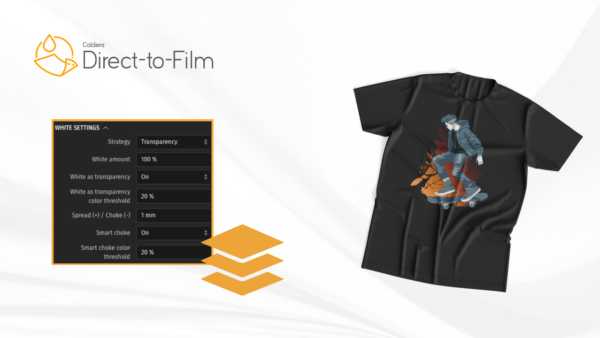
If you ask me the difference between standard and DTF printing, we can simply say that it’s all about the use of white ink. It is the base that allows your colors to keep their vibrancy when transferred onto dark fabric. If the white layer looks thin, your colors will appear lifeless and a bit dull. On the other hand, if you put too much ink in the layer, prints may feel stiff and you will only waste more ink. If you own a DTF software, you can automatically generate the correct white underbase for every file.
When using Caldera Direct-to-Film, for example, you can generate white ink while still providing users with the flexibility to edit settings and adjust everything as needed.
The Color Vibrancy you Want
We have already introduced you to the advantages of using color management tools in printing. Your customer chooses to be your customer because he sees the color vibrancy you can deliver. This concerns all types of applications, and not only DTF printing. But in DTF printing, this takes another turn. Colors are the first thing a client sees after the design itself.
Caldera Direct-to-Film inlcudes advanced color controls that helps you achieve:
- Accurate brand colors
- Smooth gradients
- Vibrant images
- Consistent print quality
- Reliable color reproduction
- Reliable colour reproduction
In addition to this, it can also automatically detect spot colors and allow manual adjustments whenever you need extra precision or a color change.
You Experience a Faster Workflow
In printing, if you have more time, you undoubtedly can do wonders. This is why time is one of the most valuable resources in printing and one that you have to handle in an effective way. You prepare all your orders manually and even if you get tired, you continue doing so until you reach a limit. But this method, despite the fact that you got used to it, is becoming repetitive and time-consuming compared to modern methods. To choose your RIP software for DTF, you have to check whether it can automate important tasks. This is specifically important because you will be able to think about your business strategy even more and grow your income.
For example, Caldera Direct-to-Film automatically handles tasks such as:
- Image mirroring
- Image alignment
- White ink generation
- Spot colour conversion
- Print preparation
Caldera’s goal is to reduce manual intervention every time there is an error. Get the right settings and let your RIP and printer synchronize.
Errors are the Real Enemy
Imagine you’re preparing your prints and you are not aware of the mistakes that could appear in the end. During preparation, you are unable to see them as you do everything manually and it’s not possible to catch all errors. There is always something that slips out. You can have incorrect white ink layers, color differences, wrong alignment, or improperly prepared files. You can already guess the result of these mistakes: they cost you film, ink, powder, and more importantly, time. And at the end of it all, you’re only wasting money.
The good news is that this is not fatal nor final. A RIP software can help manage resources. Its role is to make sure each file is correctly prepared before you even start printing. You will now stop reprinting and your material will be saved, but more importantly, you will run a reliable production workflow that you can be proud of.
Is this File Format Supported?
You will no longer ask this question and whether you can use a specific file format. Customers send files in various file formats that you will have to find a way to read. Some prefer PDFs, others Photoshop files, Illustrator designs, or JPEG files. As a result, you will need one platform that handles it all.
Caldera Direct-to-Film supports a wide range of file formats, including: PDF, AI, PSD, PSB, PNG, TIFF, JPEG, BMP.
This flexibility allows you to work with customer artwork without spending time converting files before printing.
Think about DTF Transfers Quality
DTF printing is not at all about transferring and pressing. It requires more effort and understanding of the materials and procedures. You will have to synchronize several elements and make them work together to create vivid images, soft transfers, and vibrant colors. Caldera Direct-to-Film is built with smart tools that simplify all these processes so you won’t have to think more and struggle to find the solution.
Caldera Direct-to-Film includes intelligent tools that simplify these processes.
1- Smart White Ink Management
Automatically creates precise white underbases while reducing unnecessary manual adjustments.
2- Spot Colour Conversion
Automatically detects spot colours and accurately reproduces them while still allowing manual refinement.
3- White and Colour Knockout Tool
The built-in knockout tool helps reduce excess ink in selected areas, creating softer transfers while saving time during artwork preparation.
DTF Printing Has to be Easy for Beginners
When you see the printing market, you can notice that many RIP software solutions are built for experienced print professionals and include countless settings, menus, and technical features. If you are a new user, it might be so difficult for you to learn the software as it includes unnecessary features that you don’t need to learn.
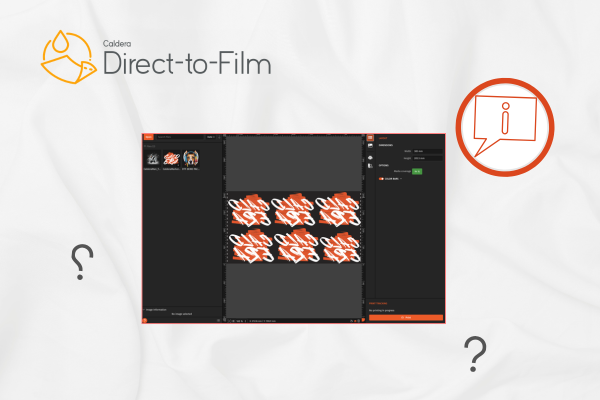
You will find yourself surrounded by complexity and unable to start your DTF business. Caldera developed Caldera Direct-to-Film specifically for this purpose. We wanted to build a software for DTF only without the complexities surrounding classic RIP software. Its intuitive interface helps you get a global vision of only what you need in DTF printing. You can read more about its interface in this article.
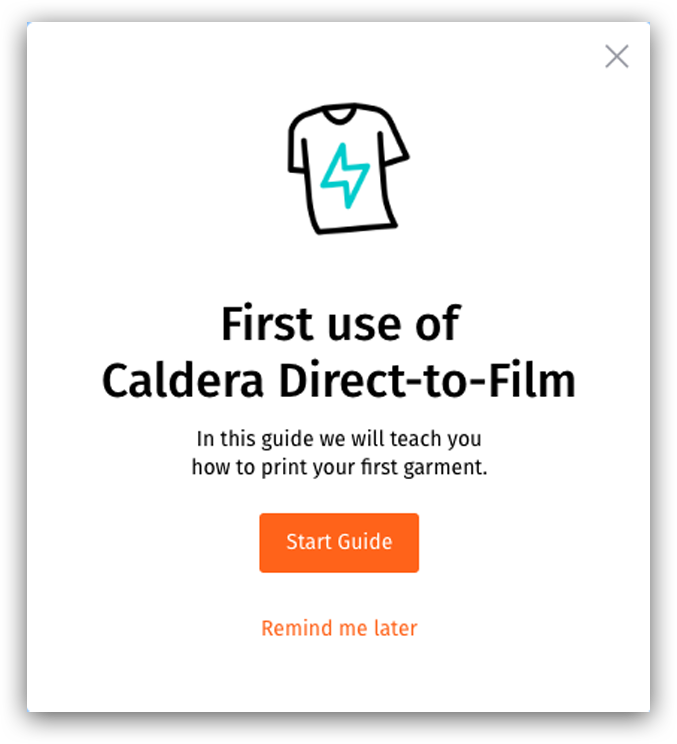
The software also makes onboarding easier for you so you don’t have to spend too much time learning. You can find guides and technical documentation within the software or on Caldera Helpdesk. While using it, you will keep gaining confidence and printing in the most accurate way possible.
Work with More OS Flexibility
You also need a RIP software that can handle all the operating systems you work on. And if you look around, not all RIP software offers compatibility with multiple operating systems. For example, if you own a business that uses Apple computers, you will find it challenging to find a software that works on macOS.
Caldera Direct-to-Film works on:
- macOS
- Windows
- Linux
We offer this flexibility to give printers the possibility to use the operating system that best suits them or maybe use different operating systems. Caldera also offers the latest software updates so that your OS remains compatible.
DTF Printers Need a Software that Understands Them
All DTF printers need a software that is specifically built for them. You can make sure that every printer is used with the correct settings and configurations. A RIP software helps you understand the needs of your printer and get the most out of its capabilities.
Caldera Direct-to-Film supports many of today’s leading DTF printers, including devices from:
- Epson
- Roland
- Mimaki
It also supports printers using Hosonsoft, BYHX, and Royal motherboards, making it a flexible solution for businesses with different hardware configurations.
Save Time with Ready-to-Use Presets
We know that you spend too much time trying the right settings for your printer and making errors, then redoing everything all over again. This is one of the most confusing parts of large format printing. As we have explained in a recent article, Caldera Direct-to-Film includes downloadable presets that were built by our experts to simplify this specific process for you.
These ready-to-use configurations will help you:
- Reduce installation time
- Optimise print settings
- Improve consistency
- Get production-ready faster
A Solution for All Products
Another reason why you need RIP software for DTF printing is that you need the quality we have been talking about in all different applications.
With Caldera Direct-to-Film, you can confidently produce transfers for:
- Custom T-shirts
- Hoodies
- Tote bags
- Sportswear
- Fashion brands
- Promotional products
- Personalised gifts
- Corporate merchandise
- School apparel
- Event merchandise
Should I Choose Caldera Direct-to-Film?
Since there are many DTF solutions on the market, you might feel confused and unable to choose the right software for you and your business type. The first thing you need to know is that not all RIP software is built for DTF printing. You might encounter several problems if you use a generic RIP software.
Caldera Direct-to-Film combines professional printing features with an intuitive user experience, making it suitable for beginners and experienced production teams alike.
Some of its key advantages include:
- Beginner-friendly interface
- Automatic white ink generation
- Advanced colour management
- Automatic spot colour conversion
- White and colour knockout tools
- Workflow automation
- Built-in learning guides
- Ready-to-use presets
- Support for multiple file formats
- Compatibility with macOS, Windows, and Linux
- Support for leading DTF printers
- High-quality, true-to-brand colour reproduction
Related articles