5 Signs Your DTF Workflow Isn’t Keeping Up With Your Brother DTRX 100
August 28, 2026
You buy a DTF Brother printer to produce more and faster. But before even buying, you should know whether you have the necessities to keep up with it and use its full potential. You have already invested in stable DTF hardware. You selected your high-quality inks, film, and powder. Orders start arriving, and you start treating them. Everything is manageable. The process looks simple: prepare a design, print it, powder it, cure it, press it. Then you move to the next job.
But within a few months, the order volume will increase, and you have to know how to deal with it. You have to configure your printer accordingly, since all the small tasks related to DTF printing, like preparing designs, managing colors, generating the white layer, arranging the designs, configuring the job, and getting it into the production queue, will become part of your workflow when your production volume multiplies.
In this article, we explain to you 5 signs your workflow is not actually keeping up with what your Brother DTRX 100 can do.
1. Your Printer Is Waiting for You
This is one of the easiest signs to spot in DTF production: you have a Brother DTRX 100 printer ready to start printing, but it simply isn’t printing. Why does this happen?
Because operators are still preparing the job, opening design files, checking dimensions, creating or adjusting white layers, making color corrections, arranging designs, choosing print settings, loading files into the RIP, and sending jobs to the printer.
Now, we know that none of these tasks seem complicated, but imagine that to get through one single task, you need five minutes. It does not seem like too much, right? But if you have 50 jobs, this will be 250 minutes.
So, you will spend more than 5 hours preparing files before you consider printing them if we assume that you will experience a smooth production that day. But the hardest part is doing that every day. The scenario can be different since your Brother DTRX 100 is capable of so much more. You can change that if improving your workflow becomes a priority. In case you keep the same workflow, you will have to handle more than you think you will handle. And that’s the first sign your workflow may be holding your Brother DTRX 100 back.
2. You’re Spending More Time Managing White Ink Than Printing
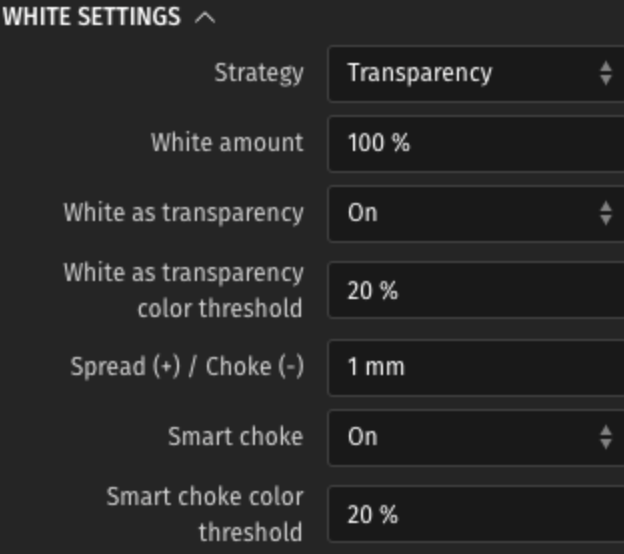
White ink is an important step in DTF printing. We have already introduced this topic in another article. It’s the step that requires more time and attention, as it defines the final result.
It creates an opaque foundation beneath the color layer, especially when transfers are being applied to dark or colored garments. If you manage to get the white layer right, you will be satisfied with the result, which will be clear and consistent.
In case the white layer is wrong, you will notice some problems:
- Unwanted white edges
- Inconsistent opacity
- Changes in color appearance
- Registration issues
- More manual corrections
- More reprints
White ink becomes more important when production volume increases, so if you do it repeatedly for hundreds of jobs, you will waste more time and energy on a task that can be simplified and automated. And Caldera Direct-to-Film helps you achieve accurate configurations of the white layer. It automatically generates the white underbase while taking into consideration the printer, media…
3. “Why Does This Color Look Different?” Is Becoming a Regular Question
This question occurs at least 10 times per day. As colors are important in DTF printing, it’s gonna be the first or second thing you and your customer see. How does it happen? You print the design, you take a look, and you notice that something is wrong. After reflecting, you find out it’s the colors.
You reprint with the right color configurations, and now they look fine. But in the middle of this, there is too much time wasted. Then weeks later, a customer might place an order for the same design. You’re faced with the same problem. Color issues happen again, but why? Now that you know how to fix it and have the right configuration, how can this happen again?
Welcome to the world of color management in printing. You can read our article to know more about the topic. You might think that what you see on the screen will always be the same when printed, especially since you used the right color settings.
Unfortunately, this is not the case. Many aspects can influence your results, like ICC profiles, calibration, ink limits, RIP settings…
And color consistency becomes particularly important when you’re producing:
- Brand logos
- Corporate apparel
- Repeat orders
- Product collections
- Large garment runs
- Customer-approved artwork
Because customers aren’t usually asking for “approximately the same blue.” They will be asking for the blue they approved with you.
4. Your Operators Are Doing the Same Thing 100 Times a Day
Now, don’t look at the printer or the settings, you can try to look at operators tasks and how they spend their day.
Do they:
- Download the artwork?
- Open the file?
- Check the dimensions?
- Prepare the white layer?
- Adjust the design?
- Load it into the RIP?
- Select the printer?
- Choose the media?
- Configure the job?
- Send it to print?

Then, they start all over again because there is no workflow automation. And this is how you know that you have found the biggest problem in your production environment: manual repetition. As a result, you will consume time, create more opportunities for mistakes, and make production dependent on operators. That’s why automation can fundamentally alter your production. Caldera Direct-to-Film includes automation features and you can use it in combination with PrimeCenter to improve your whole workflow.
5. You’re Throwing Away More Film Than You Think
And this last sign is about printing efficiently. When you buy DTF transfer films, you have to know whether they are all going to be sellable products. But first, you have to know that when we talk about efficiency, it means using your film intelligently. Think about a typical sheet. You have one design. There’s empty space around it. Then another design. More empty space. Then another. These empty spaces can be optimized because if you multiply them across hundreds of sheets, you have a serious cost problem.
In DTF printing, you can use gang sheets to organize your designs in the best and most effective layout possible. You can arrange your designs across the printable areas to make better use of the available space.
You can start seeing the difference after a month, and you can reduce your costs significantly. And this will not change when your production volume increases.
Even though it might look to you like a small improvement, if you count the little spaces you save per day, it becomes a huge improvement.
Caldera Direct-to-Film helps you create the layout that suits your designs the most by automatically aligning them across the sheet in the Studio.
Your DTF Printer Is not the only Thing you Need
As a DTF printer who owns a business or a print shop, you already know how difficult it is to understand DTF production and finally be able to automate your workflow. You now have an idea of what a professional and efficient DTF workflow looks like:
Artwork → File Preparation → RIP → Color Management → White Ink → Layout → Printer → Powder → Curing → Heat Press → Finished Garment
Every stage will play an important role in planning the next one. If the file preparation is slow, the printer will not perform. If your white ink management is not consistent, you will encounter different transfer issues. And if your color management is unreliable, then you will be repeating orders until you get the right color.
So, What Does Your Brother DTRX 100 Actually Need?
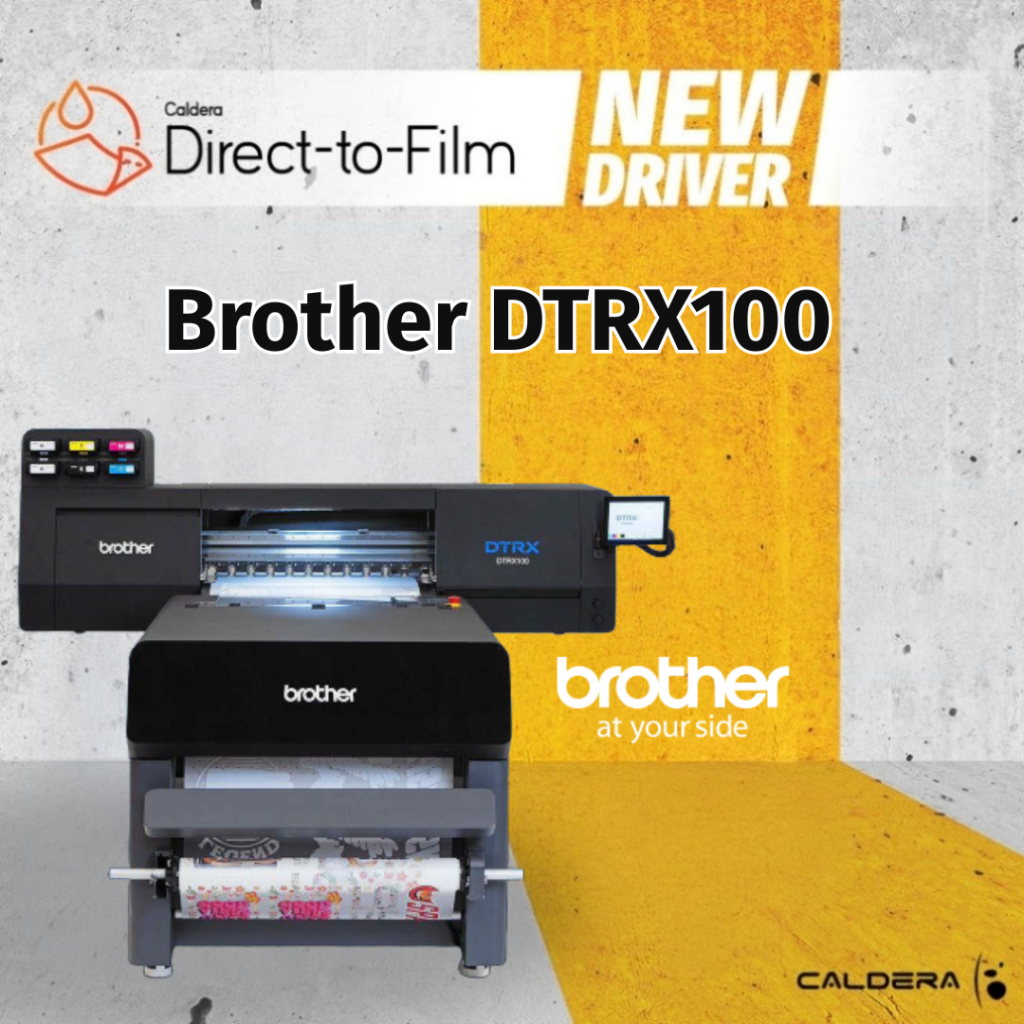
Maybe it doesn’t need another piece of hardware. Maybe it needs a workflow that can finally keep up with the hardware you already have. The Brother DTRX 100 is designed as a professional direct-to-film production system, using a five-color CMYKW water-based pigment ink configuration and supporting a maximum print width of 31.5 inches (800 mm). That’s serious production hardware.
And Caldera currently documents native support for the DTRX 100 in Caldera Direct-to-Film. Which raises an interesting question: Why put production-grade hardware into a workflow designed around manual, small-job processes?
Your DTRX100 can be ready for the next job. The question is whether your workflow is. Because the next stage of DTF production isn’t necessarily about finding a faster printer. It may be about eliminating the things that make your printer wait.
Related articles