What is Ganging in Printing and how PrimeCenter helps you do it effectively?
April 24, 2026
What is Ganging in Printing and how PrimeCenter helps you do it effectively?
Over the years, many printing methods have emerged to reduce costs, material waste, improve production, and, more importantly, save time. Few of these methods include: nesting, color management tools, ganging…
Ganging has gained significant recognition among printers and is now used in multiple print shops. The term is used to describe grouping files together. It is similar to nesting, but ganging is mainly used to put multiple files on a single sheet to go in the same print run. The process is used to accelerate print jobs.
In this article, we will explain what ganging is, how it works (with examples), and how you can gang your files using PrimeCenter.
What is Ganging?
Ganging is a term used in large format printing and is derived from the word “Gang”. It refers to forming valuable groups. In printing, this translates to putting files in one group and printing them all together.
For example, you can imagine a printer who receives many small customer orders: stickers, labels, or decals. Usually, some print shops choose to process them individually, but it’s also possible to merge them (gang) into a single production sheet.
As a result, the printer/operator will spend less time on setup and maximize material usage.
The difference between ganging and nesting? nesting is used to optimize space on a sheet while ganging is used to keep related files together. The latter is often based on job requirements such as customer, size, material, or finishing needs.
Why Ganging Matters in Modern Print Workflows
Ganging comes with many advantages, especially if you use it in the right way. It will allow you to:
- Reduce machine setup time
- Minimize material waste
- Keep customer jobs organized and separated
- Increase throughput and productivity
- Streamline post-processing (cutting, packing, shipping)
However, this is not always the case. Applying ganging manually can become very tedious work, especially if you’re dealing with high volumes of files or varying job requirements. This is why printers are now more prone to use automation in ganging their files. Caldera PrimeCenter helps you automate ganging in a smooth and simplified way.
How PrimeCenter Helps you Gang Files?
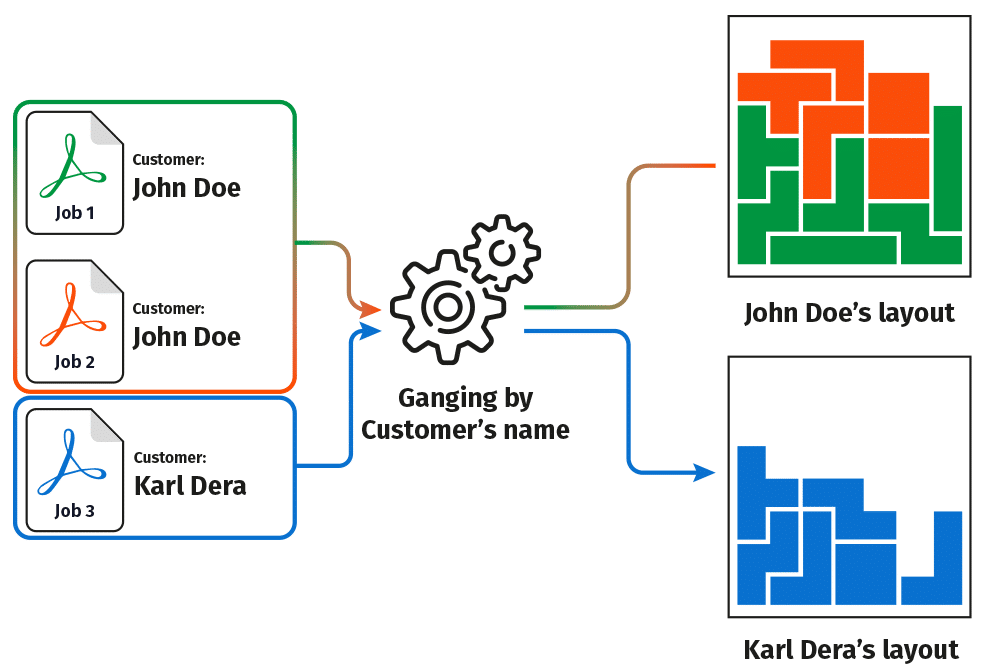
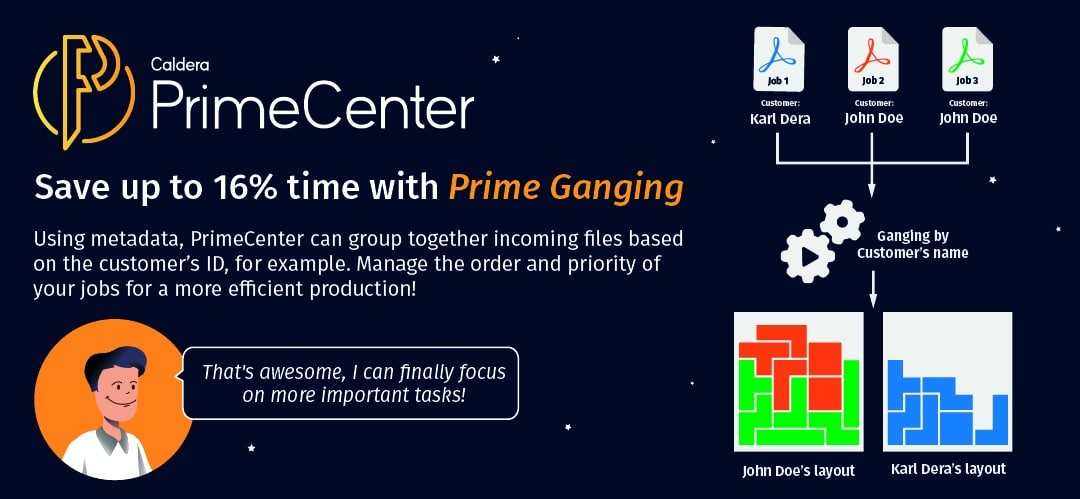
With PrimeCenter, you can start bidding farewell to all the manual work you have been doing so far. PrimeCenter uses meta-driven ganging to automatically group files into separate layouts (also called nests). The software guarantees that files are organized in a correct way without constant manual intervention.
Data-based ganging
In PrimeCenter, ganging works through specific information that are associated with your files. For example, you can find:
- Customer name
- Order ID
- Size
- Material type
- Custom fields like “Gang name”
If you select a data field (ID or size..), you can ask PrimeCenter to automatically group files into separate layouts based on shared values. As a result, you will get clean, structured production tools and organized customer jobs based on the logic you have chosen to follow.
Towards Smarter Grouping
Let’s say you receive a large volume of sticker orders in multiple sizes. Using the right automation tool will allow you to organize and sort them in few minutes rather than hours.
PrimeCenter helps you automate this organization and group your files into clear, distinct production sets. This sort of smart ganging or grouping ensures that:
- Production runs stay efficient
- Finishing processes are simplified
- Orders are easier to handle and deliver
Your only concern will shift from “how to organize files quickly” to “how can we further improve our delivery process?”
That’s why ganging files became more than a trick to manage files. It now plays an enormous part in having an efficient and scalable print workflow. Using PrimeCenter, you will experience another kind of ganging that will organize your production in the best way possible.
Interested in PrimeCenter?
You can contact us or book a demo to see PrimeCenter in action.
Related articles