What is File Inspector in PrimeCenter?
March 13, 2026
What is File Inspector in PrimeCenter?
Print operators and Print service providers manage a large volume of files every day before a job ever reaches the printer. They need to check each of these files carefully to make sure they meet production requirements and don’t contain errors that could affect the final result.
For many print shops, it gradually becomes time-consuming. Operators often work with hundreds of files daily, switching back and forth between different software tools just to inspect or adjust them. This constant switching disrupts workflow, slows down production, and increases the risk of mistakes.
Consequently, they will do more manual interventions, longer processing times, and delays in production and order delivery. Most of printers can’t afford to take the risk and witness these consequences every day.
To simplify this process, PrimeCenter 4.6 introduces a smart new feature: File Inspector. This built-in tool allows operators to inspect and review files directly within PrimeCenter, without the need to rely on third-party software.
File Inspector Overview
File Inspector is a dedicated space within PrimeCenter built to accelerate file inspection and make it easier.
Instead of exporting files or opening additional design applications, operators can inspect and analyze their files directly inside PrimeCenter before sending them to print. In this way, teams can detect issues early and make sure files are as accurate as possible.
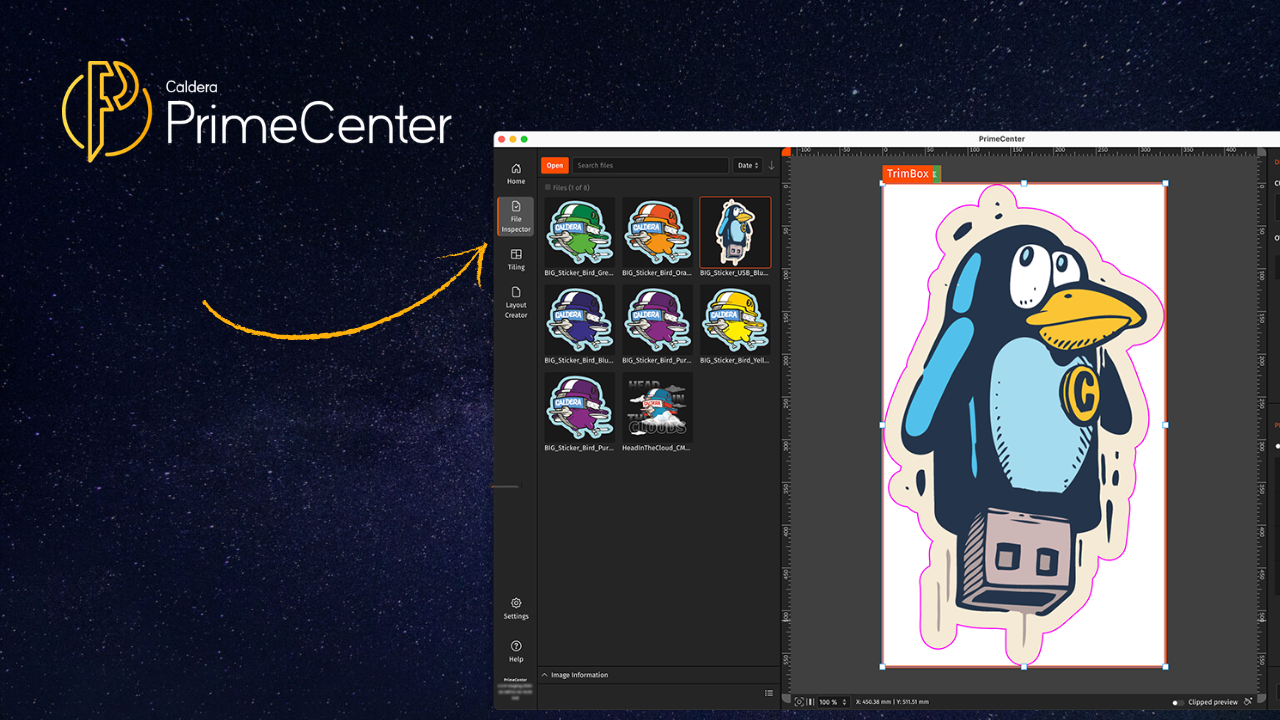
File Inspector is easily accessible through a dedicated icon in the navigation bar on the left side of the PrimeCenter interface, making it easy to transition to the File Inspector studio whenever needed.
By integrating file inspection within PrimeCenter, File Inspector will contribute in maintaining more control over your print process.
How does it look?

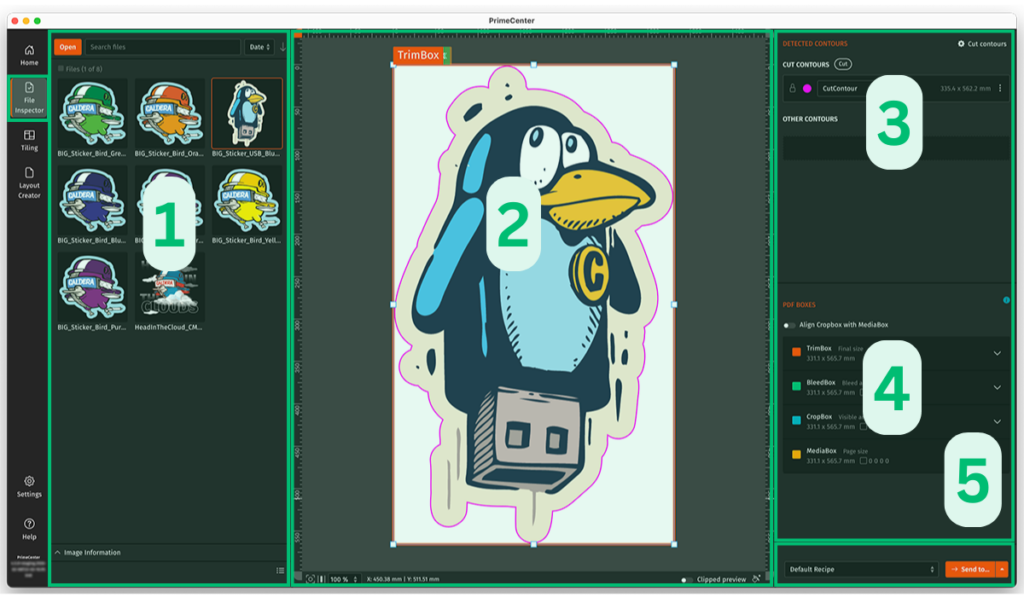
When you click on the File Inspector icon, you’ll have access to a dedicated studio that allows you to inspect files.
In this space, you can quickly load your files and organize them using sorting and filtering rules. It will be easier to handle large volumes of files and find the ones you want to check for errors.
File Inspector supports a wide range of common print file formats, including:
- JPEG, PNG, PSB, PSD, TIFF, AI, EPS, PDF, PS, SVG
Once loaded, you can examine your files individually. This will allow you to review the details that matter most in your production.
What does File Inspector contain?
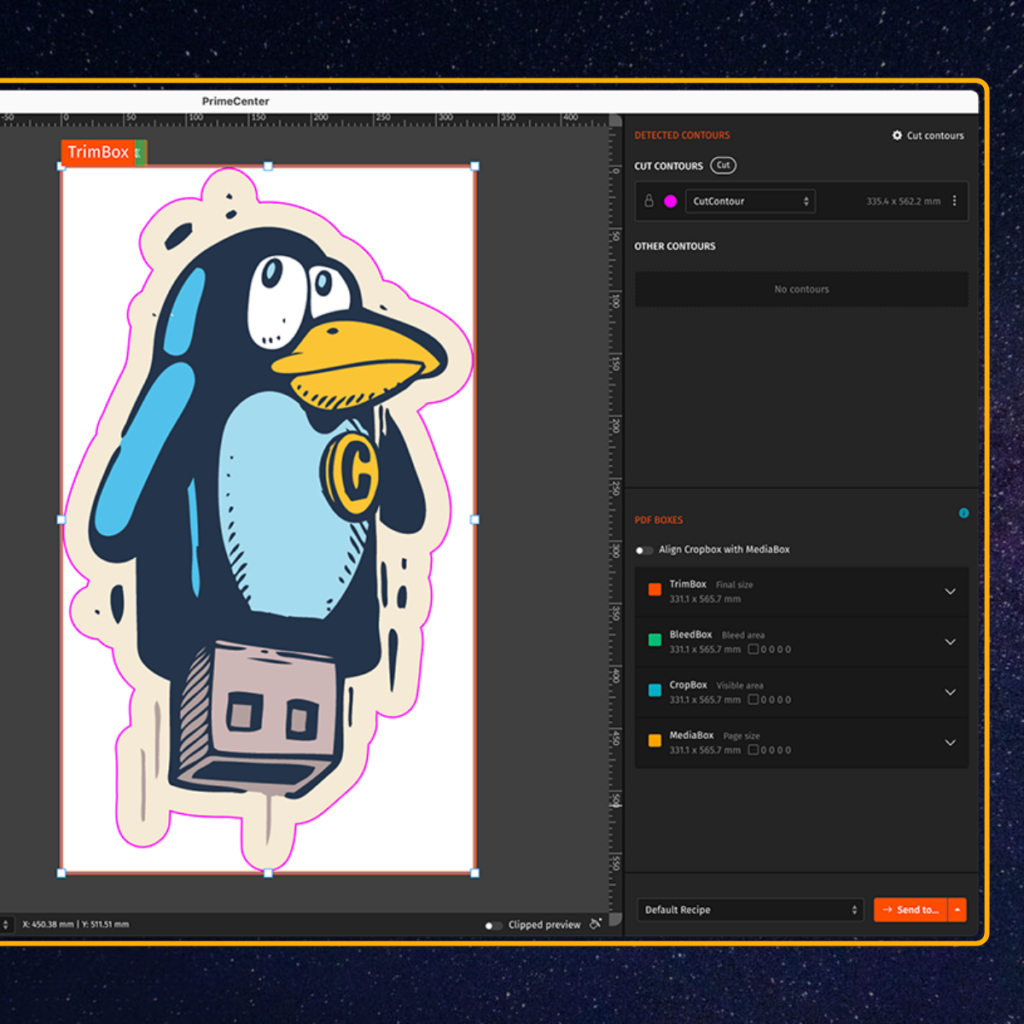
File Inspector allows you to inspect file components in detail to prepare them for production.
For example, users can review:
- Cut contours
- PDF boxes
- File structure and layout elements
To facilitate the process even more easily, File Inspector uses color-coded visual indicators. Each cut contour and PDF box is displayed in a different color, allowing you to quickly identify and verify them.
This visual representation makes it easier to detect issues and confirm that files meet production requirements.
Why File Inspector is important in PrimeCenter
Efficiency and accuracy are important criteria in print productions. A small error will lead to unexpected rework and delays, and most of the time, you’re never ready for that.
You can solve these difficulties by using File Inspector in PrimeCenter 4.6.
With this new feature, print providers can:
Save time
Inspect files without switching between multiple applications.
Reduce production errors
Quickly identify missing contours, incorrect boxes, or other file issues.
Improve workflow efficiency
Manage and review large batches of files from a single workspace.
Increase productivity
Spend less time preparing files and more time focusing on production.

Interested in PrimeCenter?
You can book your demo today! or contact us for more information about File Inspector and how it will improve your production.
Related articles