Scaling print shop operations
February 13, 2026
Scaling Print Shop Operations with Recipe-based Workflows
PrimeCenter is all about automating manual tasks. You’ve heard the word automation multiple times. It’s always automate, automate, automate, but how does this actually happen? You look for the required tools, and sometimes you pass right by them, thinking they’re not the ones you need. PrimeCenter is built around a recipe system.
This means you can automate your manual tasks using a set of predefined settings. You might be asking yourself: how does this help me use them consistently? Here’s where the magic happens: recipes are created for both present and future use. Subsequently, you can save them and use them whenever you need.
In this article, we’ll walk you through what recipes are and how PrimeCenter can help you scale your print shop operations with recipe-based workflows.
What are Recipes in PrimeCenter?
To automate your prepress, you need all the ingredients (settings and tools). You can think of recipes as a set of ingredients you use to automate tasks like nesting, preflighting, resizing, adding print bleed, annotations, cut marks, barcodes, QR codes, and more.
Once the recipes are configured, you can reuse them by simply duplicating them and exporting them to a different PrimeCenter station. This way, you’ll achieve the consistency you’ve always aimed for. You won’t get different results that require constant readjustments.
How to Create Recipes in PrimeCenter?
To create a recipe in PrimeCenter, you have two options. You can choose the one that best fits the way you use the interface.
Create recipes in the Layout Creator:
Simply go to the Layout Creator and click the + button. From there, you can proceed with your settings. Everything is saved automatically, so you don’t have to worry about losing any configurations. Once you’re done, your recipe is ready to use.
Create recipes from the homepage:
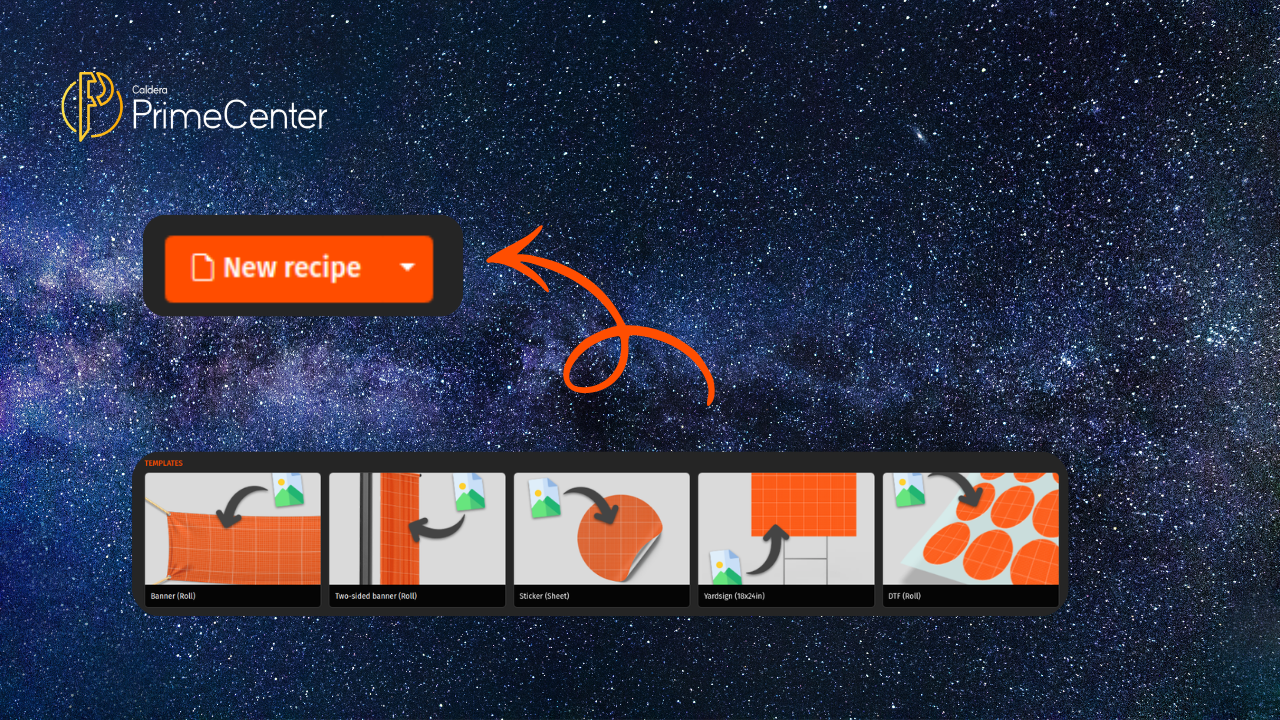
On the homepage, you’ll find a “New recipe” button. Click it to start creating your recipe based on your needs and production requirements.
The Advantages of a recipes in PrimeCenter
Print workflow automation is becoming harder to manage. This is due to the tools’ diversity in the market and how we can use them. Now that you understand how recipes work in PrimeCenter, you will be able to use the full potential of this feature. A print workflow automation based on recipes solves a many problems that you’re facing everyday:
Here are six advantages with concise titles and short definitions:
1. Automated Prepress Processes: Recipes bundle all required configurations into one workflow, allowing you to automate tasks like nesting, resizing, preflighting, and adding bleed with minimal manual input.
2. Consistent Output Quality: Once configured, recipes deliver the same results every time, eliminating variations and ensuring standardized production across all jobs.
3. Time and Labor Savings: By reducing manual setup and repetitive adjustments, recipe-based workflows speed up job preparation and free up operator time.
4. Easy Reusability: You can save recipes, duplicate, and reuse them whenever needed, creating a reliable workflow library for recurring production tasks.
5. Scalable Operations: You can export recipes to different stations, enabling consistent workflows across teams, machines, or locations as your print shop grows.
6. Simplified Workflow Management: Instead of managing multiple tools individually, recipes centralize all settings into structured workflows, making automation easier to control and maintain.
Thinking About Automation? Now’s the Time to Make It Happen.
Contact us or request a PrimeCenter demo to know more about recipes and print workflow automation.
Related articles